Get it on Google Play
Luana DouradoJul 17, 2023
“The app is functional, lightweight and does what it promises.”
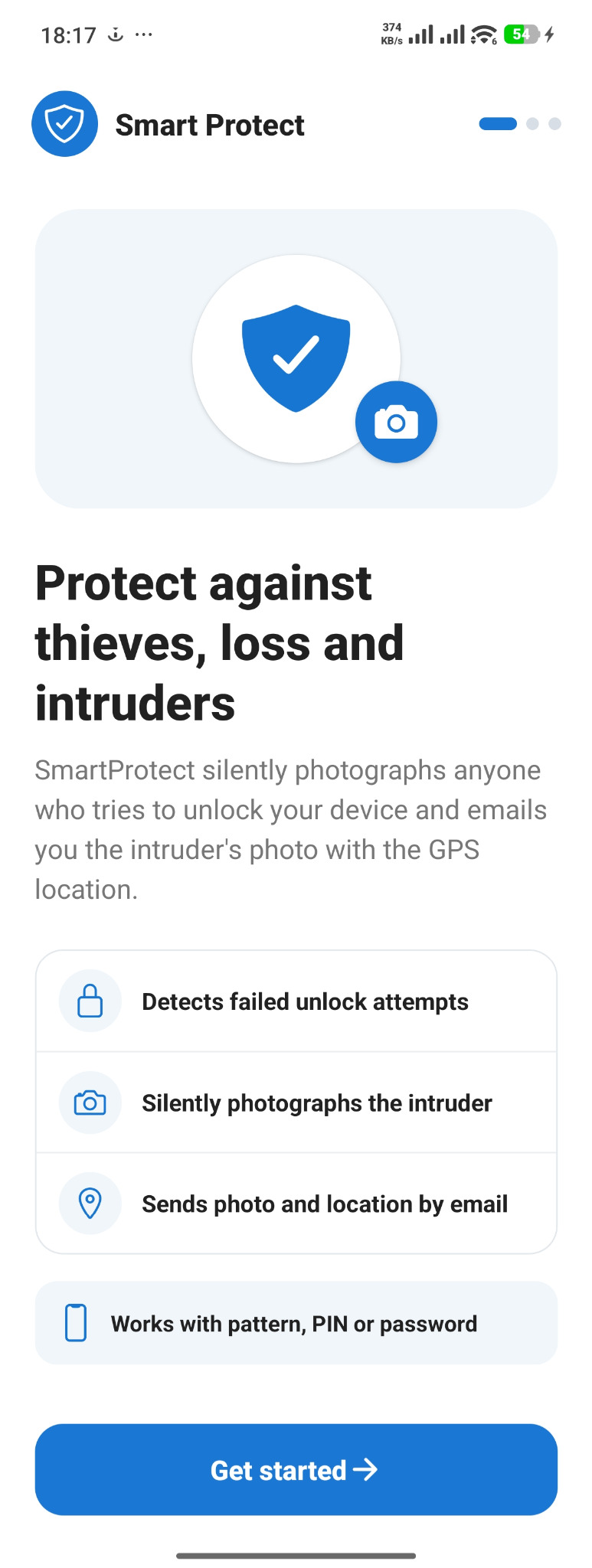
Protection against theft, loss and intruders
If someone tries to unlock it with the wrong passcode, SmartProtect can record photos, location and audio and send an alert to your email.
Your life is inside your phone
When your phone leaves your hands, knowing someone tried to access it can change your response. SmartProtect adds another layer of information at that exact moment.
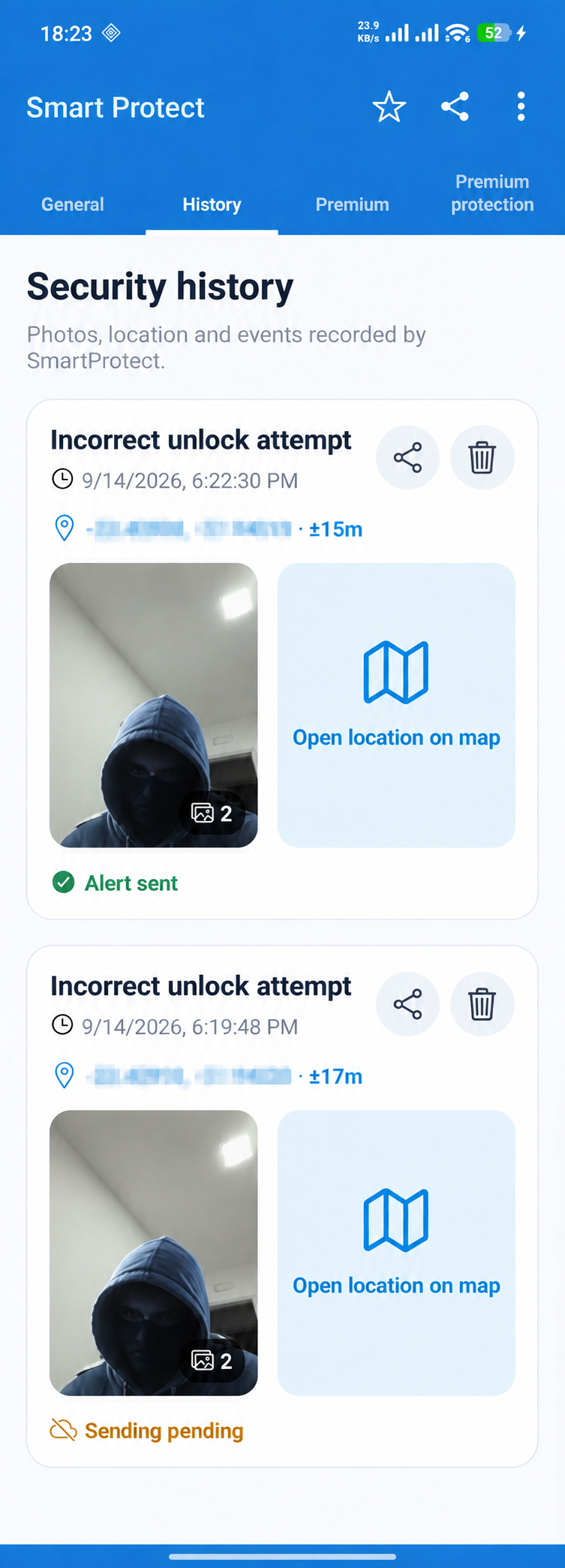
If someone tries to unlock it, SmartProtect can record the attempt, the person and the available location.
When the phone ends up in someone else’s hands, an alert can help you understand what happened next.
A wrong passcode can trigger a silent record and reveal an unauthorized access attempt.
Inside the app
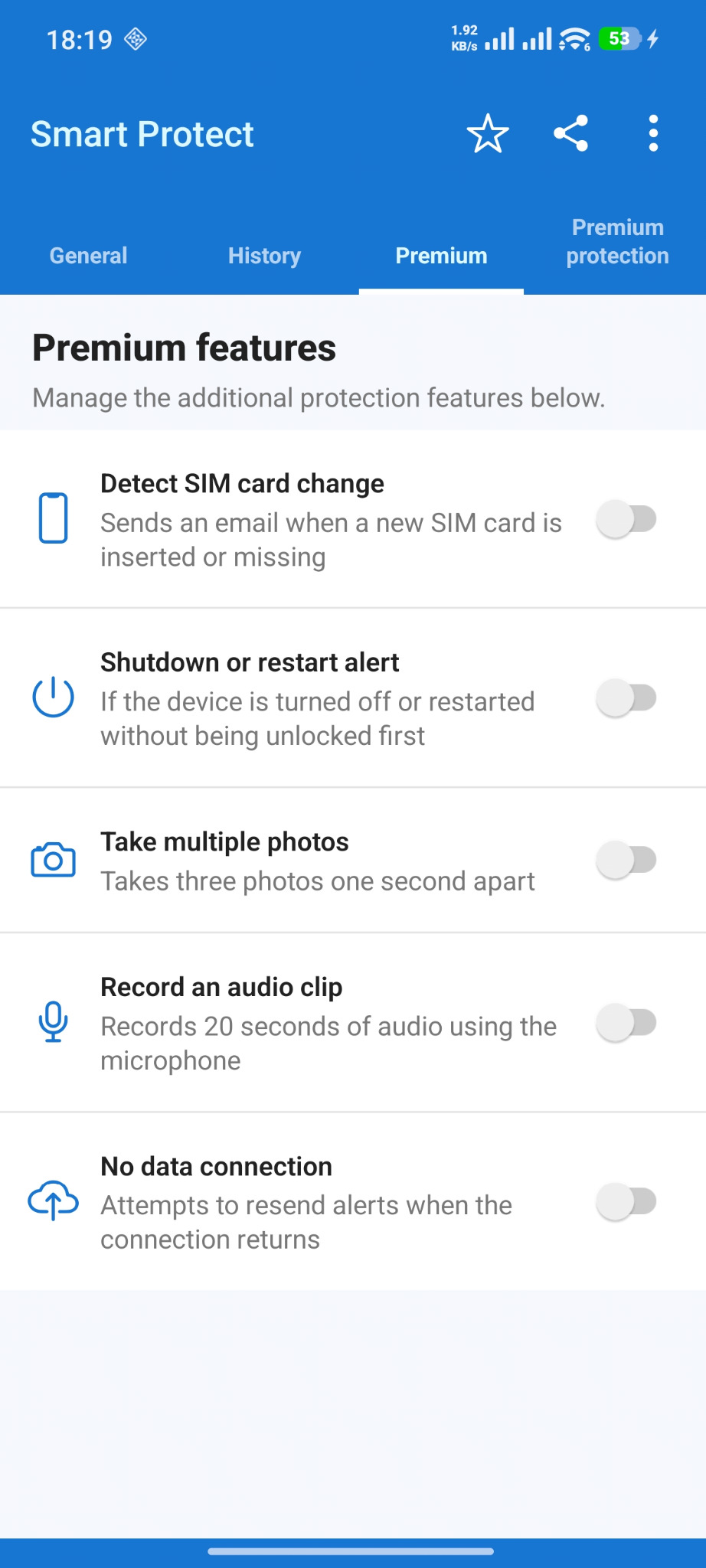
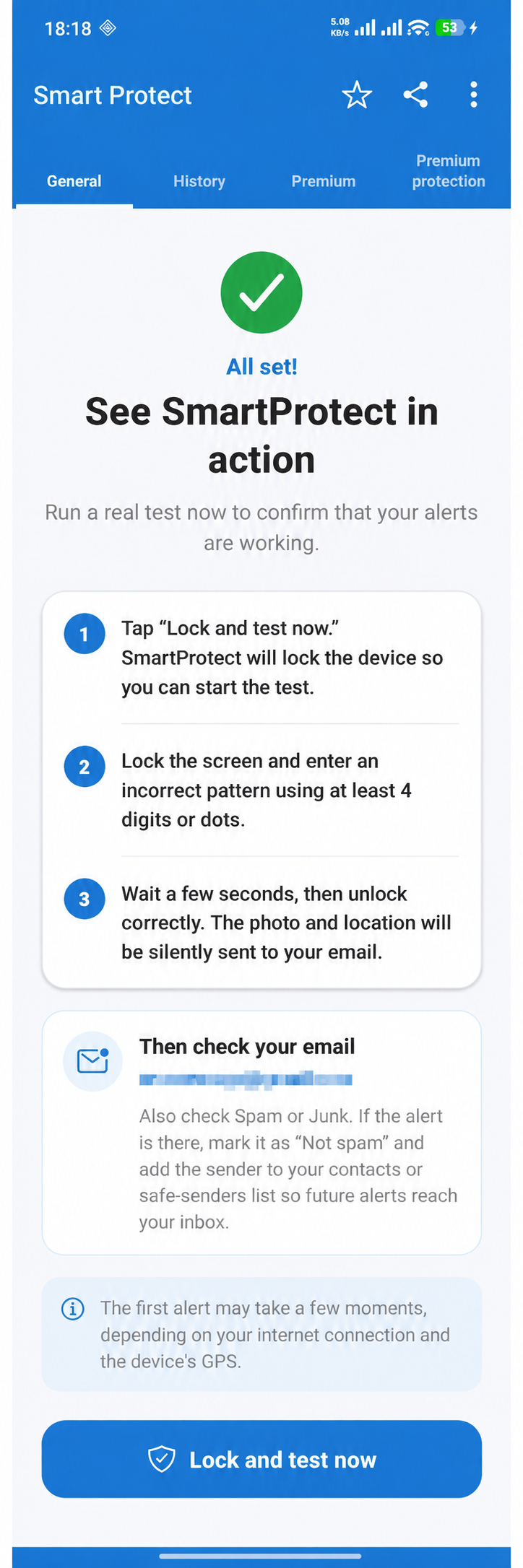
From the first choices to security history, every screen shows the protection status and guides the next step.
From the event to your inbox
The flow runs in the background according to the protections and permissions configured on the device.
SmartProtect identifies an unlock attempt or another protected event.
Photos, location and audio are collected when available and authorized.
The available information is organized and sent to your configured email.
Protection that works for you
You choose what to enable. When a protected event happens, the app brings together the available signals to create a useful alert.
Records images during protected events when camera access is allowed.
Includes coordinates and quick map access when location is available.
Attaches an audio recording related to the alert when the feature is active.
Warns you when the SIM card is changed or removed from the device.
Records attempts to power off or restart before unlocking.
Lets alerts reach two addresses for greater security.
Protection your way
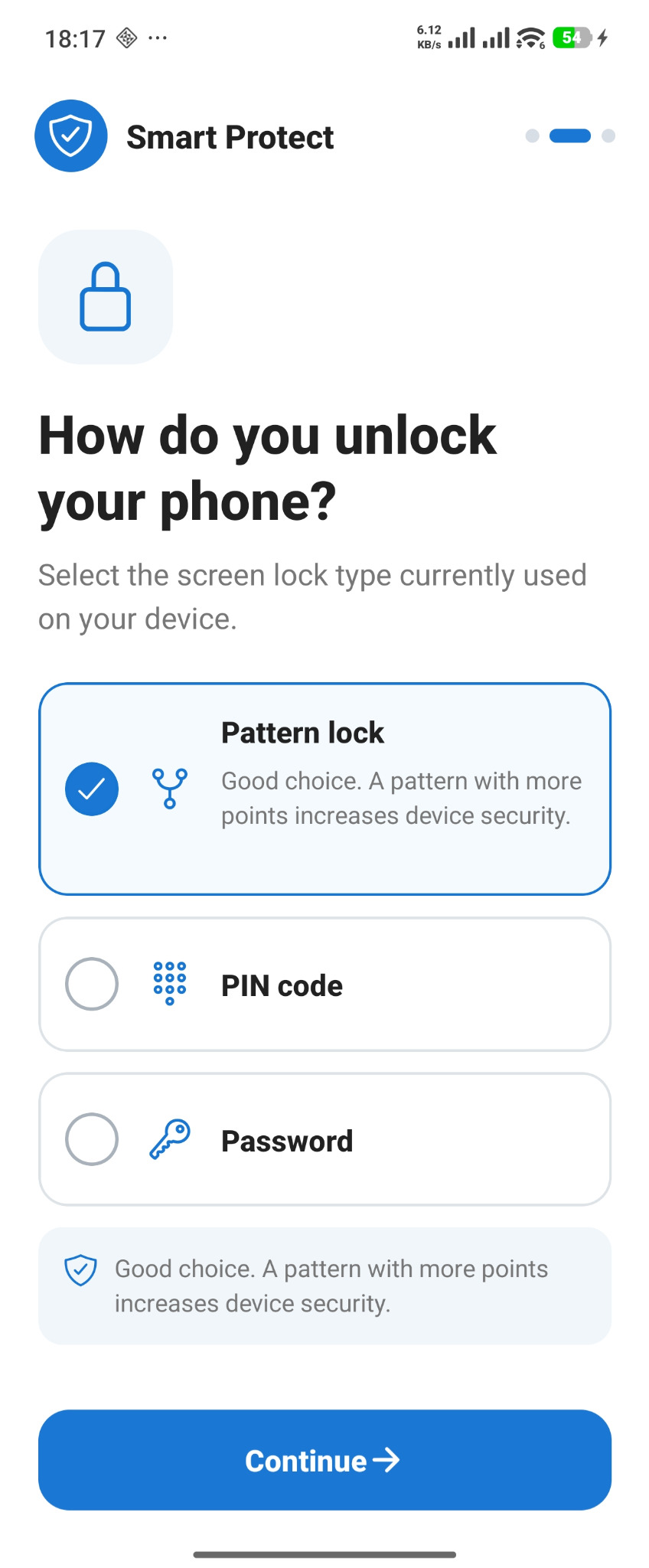
Tell the app how the phone is unlocked so it can recognize incorrect attempts more accurately.
Works with the unlock pattern configured on Android.
Monitors incorrect attempts on the numeric lock.
Supports an alphanumeric screen lock.
Protections you control
You decide which protections to enable. SmartProtect shows the status of each feature and uses only the permissions required for the functions you choose.

Sent by SmartProtect to the email address configured in the app.
Information ready for action
The email brings together the event type, time, device, available photos, audio and location in one direct view.
Security history
Security history makes every event clear: time, images, available location and email delivery confirmation.
Evidence recordedSee SmartProtect in action
The app shows what is active, guides testing and warns you when a permission needs attention.
You choose the email that receives alerts and which features to authorize on Android. Photos, audio and location depend on the permissions and conditions available on the device.
Five situations. One extra layer of protection.
If someone tries to unlock a stolen phone, SmartProtect can record the attempt.
If the phone ends up in other hands, an alert can provide an important clue.
Wrong passcodes help show when someone tried to access your phone.
Personal photos, conversations and accounts deserve an extra layer of protection.
The app must be installed and configured before the problem happens.
Start in minutes
Download SmartProtect from Google Play.
Enter your email and select the features you want to use.
Follow the guidance for camera, location, audio and device protection.
SmartProtect stays ready to record your configured events.
Answers for when you need them most
SmartProtect complements Android security tools with records of access attempts. Here are direct answers to common search questions.
Prepare your protectionUse Google Find My Device to try to locate, secure or erase your Android. If SmartProtect was already installed and configured, also check your alerts and security history: an unlock attempt may have recorded an available photo, location or audio clip.
Google Find My Device provides on-demand location. SmartProtect complements it by adding the available location to an alert when a protected event occurs, provided location, permissions and connectivity are active.
Try to locate and secure it with Google, contact your carrier, block the SIM and IMEI, change critical passwords and file a police report. Do not confront a suspect. If you already used SmartProtect, preserve received alerts and review the history.
With SmartProtect configured, incorrect unlock attempts can generate photos, location, audio, a security history record and an email alert, depending on active features and permissions.
If protection was set up beforehand, photos and security history may help identify an attempt. SmartProtect cannot recover events from before installation and does not guarantee a person can be identified.
Use Google Find My Device to locate, secure and erase remotely. SmartProtect works as a complementary layer by recording access attempts and emailing the available information.
Transparency before you install
No. SmartProtect is currently built for Android devices.
That information depends on permissions, enabled features, connectivity and device capabilities at the time of the event.
Alerts are sent to the primary email configured in the app and, when provided, to a secondary email as well.
Some records can be prepared on the device and sent when connectivity returns. Alert delivery depends on an available connection.
No. It adds another layer of information and can be used together with Android and Google security tools.
Help center
We cannot access or locate your device on request. Act safely and preserve any alert you have already received.
Check Spam or Junk and mark the SmartProtect message as “Not spam”. Confirm the address entered in the app, run the in-app test and try another email if needed. Delivery also depends on the phone connection.
Make sure Android is signed in to the same Google Play account used for the purchase. Close and reopen the app. If it still does not appear, reinstall SmartProtect with that same account so the purchase can be checked again.
Disable protection from inside the app before removing it.
Transparency and important limits
The app is a complementary protection layer. Our team has no dashboard to access, control or locate your phone and cannot track it when you ask us to.
We do not monitor your device and cannot open its camera, photos, audio, email or location to search for a phone.
Photos and location may help explain an event, but they do not guarantee identification or device recovery.
The app must be installed, configured and authorized before an attempt, loss or theft occurs.
Also use Find My Device, SIM and IMEI blocking, password changes and guidance from local authorities.
Protect it before you need it
Install it on Android, choose your protections and receive the available information by email when a protected event happens.
Get it on Google Play